Virtual furniture removal for listing photos
Empty an occupied or dated room in one click, then list it clean or stage it fresh. Built to take out movable furniture and clutter while keeping the home itself as photographed.
The sample works without an account. Your own photos need a free one.
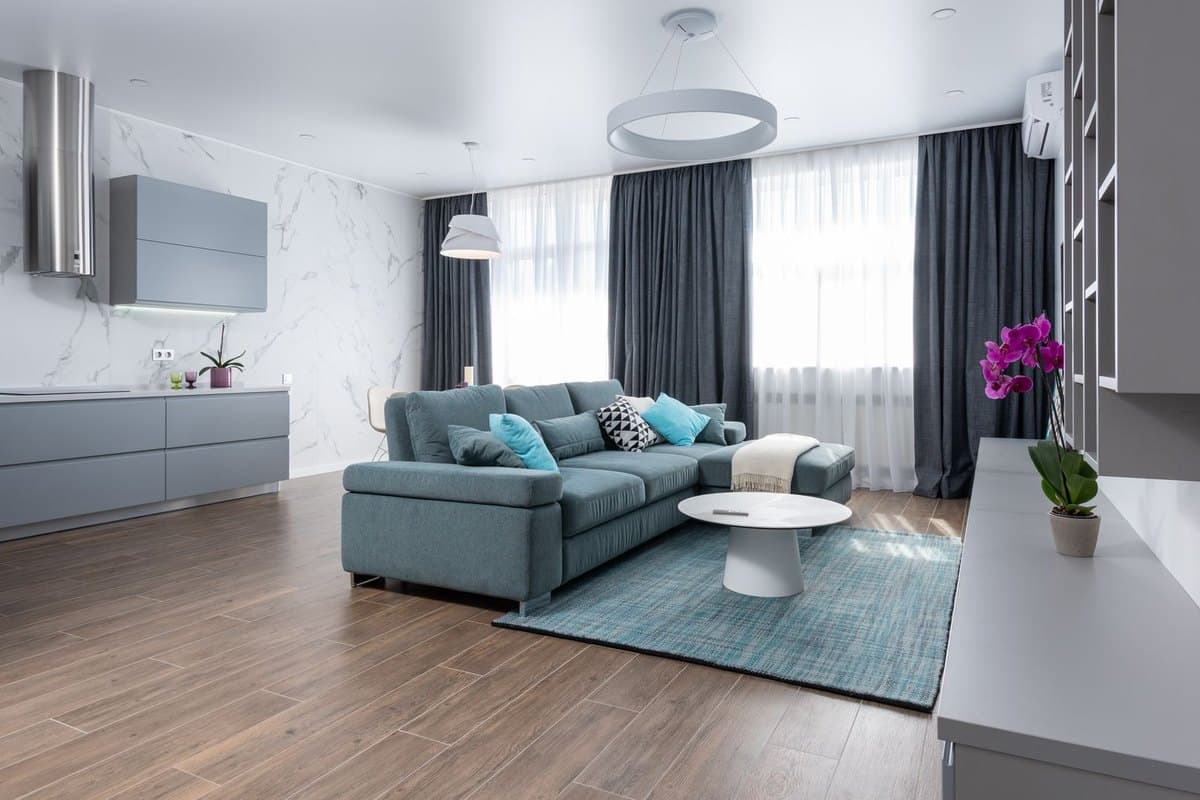
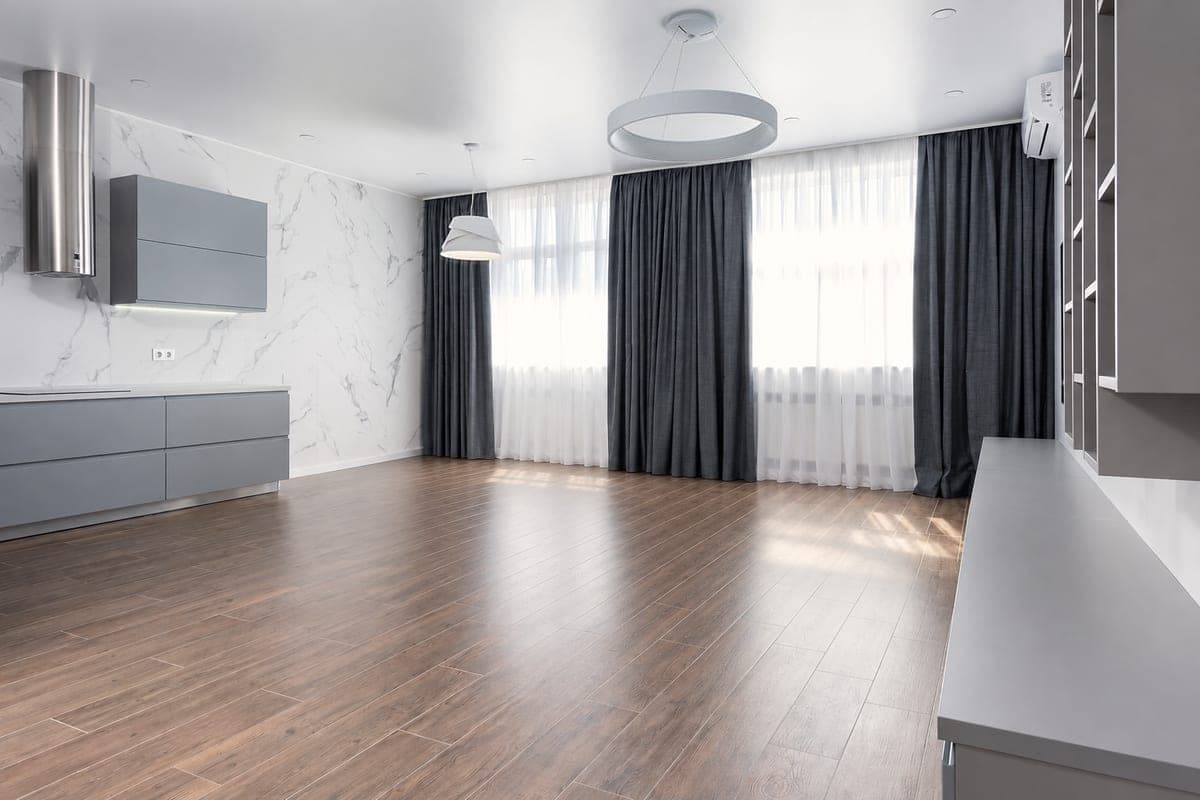


Add the photo
Upload an occupied or furnished room, patio, or deck (JPG, PNG, WebP, or iPhone HEIC), or paste a listing link.
Remove furniture
One click, 1 credit, usually under a minute. Nothing is charged if a render fails.
Download for your listing
A ZIP with the “Furniture removed” labeled photo, a clean copy, the original, a before and after, and a disclosure note.
Furniture and clutter out, the home kept as shot
Removal fills in the floor and walls behind what it takes out, using what the photo shows. It is designed to leave the parts of the home a buyer is actually buying alone.
What it removes
- Sofas, chairs, tables, beds, and dressers
- Rugs, lamps, wall art, and loose decor
- Clutter and personal items
- Patio furniture, cushions, and umbrellas
Designed to keep
- Walls, floors, ceilings, windows, and doors
- Built-in cabinets, counters, and shelving
- Chandeliers, pendants, ceiling fans, and sconces
- The view through the windows
AI can miss or invent small details, most often in very cluttered rooms. Compare each result with the original before you publish. Running it again costs another credit, and failed renders cost nothing.
Labeled for disclosure
Removing furniture changes how a room is represented, and rules like California's AB 723 can require you to disclose it. Every removal download is labeled “Furniture removed” and comes with the original photo and a plain-language disclosure note, so the materials are ready when you publish. Check your MLS's exact rules. Read the MLS disclosure guide.
Keep going
Furniture removal FAQ
What does virtual furniture removal take out?
Free-standing furniture, rugs, lamps, loose decor, wall art, and clutter, indoors or on a patio or deck. The goal is the empty room a buyer would walk into, so they can picture their own furniture in it.
Will it remove built-ins or light fixtures?
It is designed not to. Removal treats built-in cabinets, counters, and shelving, and hardwired lights such as chandeliers, pendants, ceiling fans, and sconces, as part of the home, and is instructed to leave each one exactly where it was photographed. AI can still get details wrong, especially in cluttered rooms, so compare every result with the original before you publish.
Do I have to disclose furniture removal?
Often, yes. Removing furniture changes how a room is represented, and under laws like California's AB 723 removing items can carry the same disclosure duty as adding them. Every removal download is labeled “Furniture removed” and includes the original photo and a disclosure note. Check your MLS's exact rules before publishing.
Can I stage the room instead of leaving it empty?
Yes. Staging works on furnished rooms directly: it replaces the existing furniture with a new look in one of 7 styles, in one step. You can also keep both: the empty version to show the bare space, and a staged version to show how it could live. Each result is 1 credit.
Does it work outdoors?
Yes. On patios, decks, balconies, and poolside areas it removes movable outdoor furniture, cushions, rugs, and clutter, and is designed to keep the decking, pavers, pool, landscaping, and view as photographed.
How much does it cost?
Furniture removal is 1 credit per photo, the same as staging. Start free with 3 credits, then buy one-time packs: 10 credits for $5, 50 for $15, or 150 for $35 (50¢ down to 23.3¢ per photo). No subscription required. Purchased credits never expire, and enhancement is always free.
See it on a real room
Try removal on our sample living room with no account, or sign up for 3 free credits and clear your own photo.